sAPS
SMART Advances Planniing & Scheduke
0%
0%
Order Efficiency
0%
0%
Adjustment Efficiency
0%
0%
Features Utilization Rate
0%
0%
Equipment Utilization Rate
0%
0%
Consecutive Order Adjustment
0%
0%
Order Fulfillment Rate
50%
50%
Rush Order Efficiency
54%
54%
User Satisfaction
The strategic redesign resulted in an overall efficiency that significantly outperformed the legacy system.
Based on empirical data from 6 Beta sites, we successfully demonstrated the ROI of the new version, driving contract renewals and upgrades.
Overviews
As factory scales grow, the surging complexity of equipment, workforce, orders, and materials exceeds the limits of manual scheduling. Our sAPS algorithms rapidly process these variables to meet user demands.
Recent market shifts have spiked the volume of Rush Orders. While algorithms provide scale, relying solely on them for major shifts risks high changeover costs and yield issues. Enter Manual Adjustments, allowing human intervention to balancing the cost of rush orders with operational stability.
Industry
Manufacturing, B2B
Duration
Nov 2021 - Apr 2022
Role
Product Designer
Responsibility
Production Scheduling Optimization
Prioritizing UI Revamp under the
2020 Design System.
Global Perspective
Production planners manage the entire factory's order flow. They demand a "Bird’s-eye view", seeing orders, equipment, and real-time status all at once to orchestrate scheduling from a holistic perspective.
Intuitive Color
I designed a complex color system of 20+ base colors, meticulously balancing contrast and saturation, transforming a high-density UI into an intuitive dashboard for Production planners.
Flexible Switching
Production planners evaluate production from diverse dimensions and perspectives. While they frequently switch and adjust layouts, they prefer a stable core structure to maintain operational familiarity.
Manual Adjustments
Efficiency and Accuracy
We integrated "Adjustments" with "Targets" to provide real-time, quantified feedback. To enable planners to see the immediate impact of their adjustments, optimizing the efficiency of every order, operator, and asset.
0
1
2
3
What Makes
a Good Schedule?
Key focus
Algorithmic schedules rarely meet 100% of factory demands. Unforeseen variables like workforce overtime, equipment shortages, or sudden rush orders necessitate human intervention to recalibrate the plan.
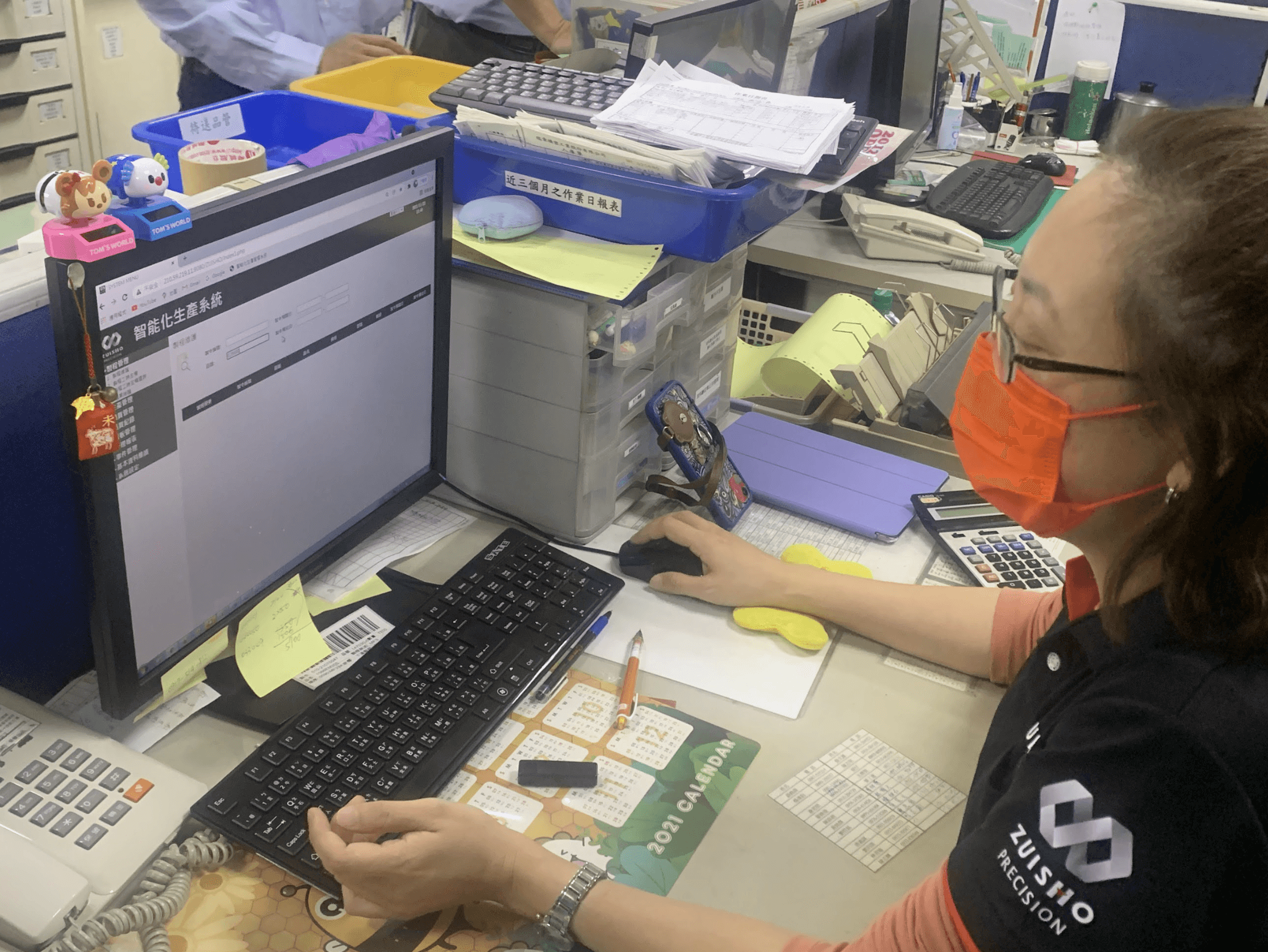
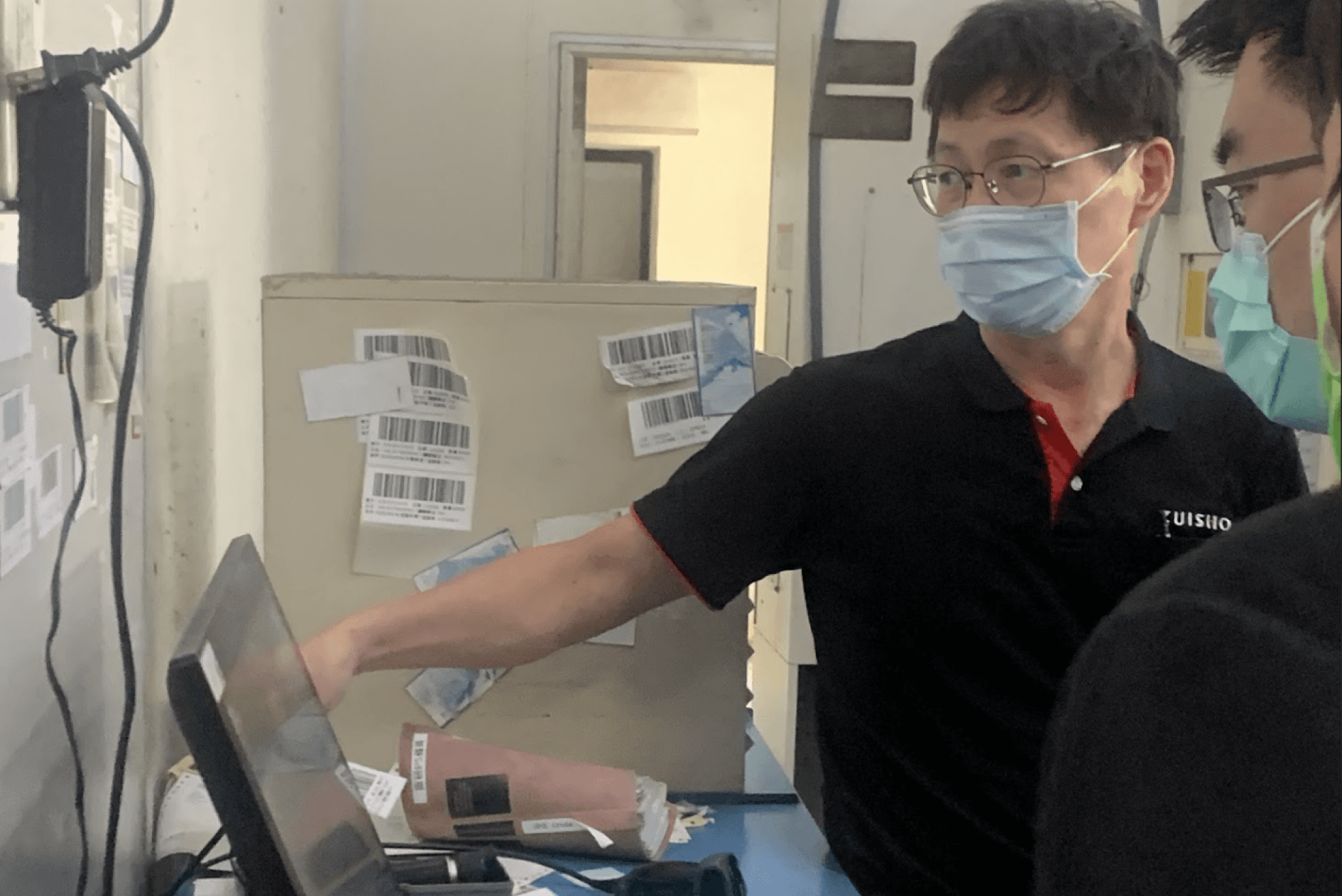
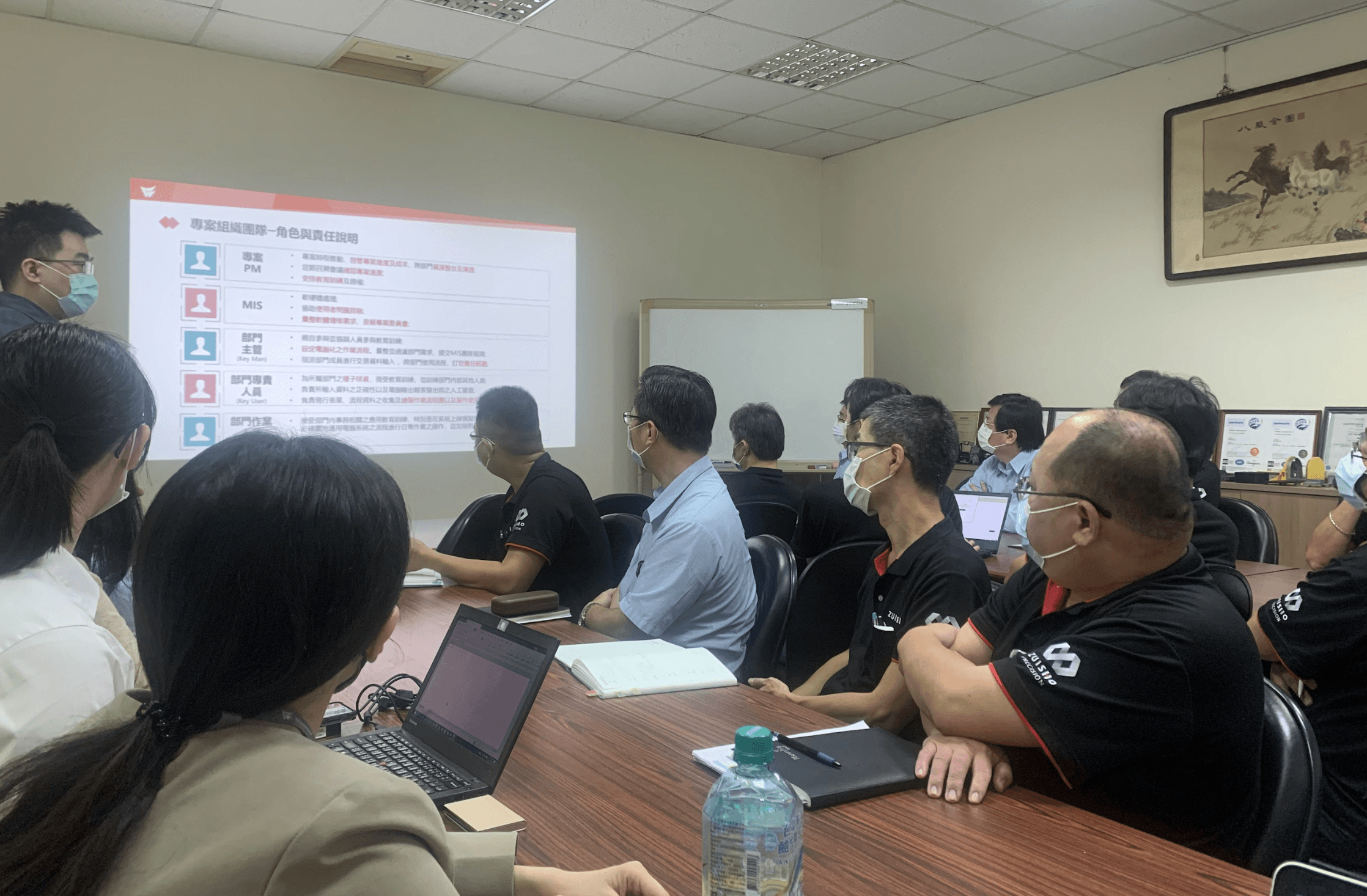
Through field studies across 7 factories and 12 deep-dive interviews, we identified that an effective Manual Adjustment must address three core questions: What is the current bottleneck? What is the primary objective? And what are the risks post-adjustment?
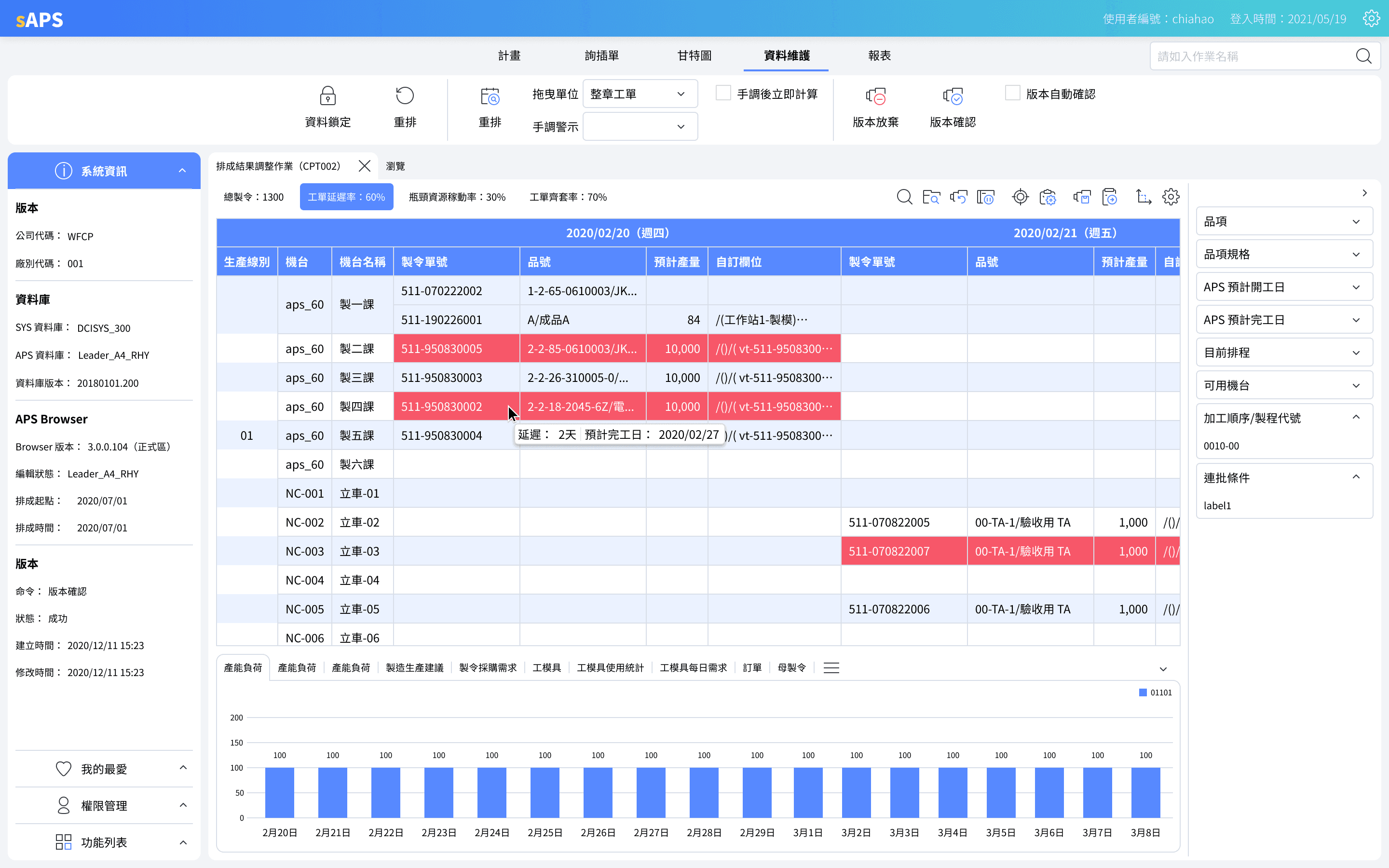
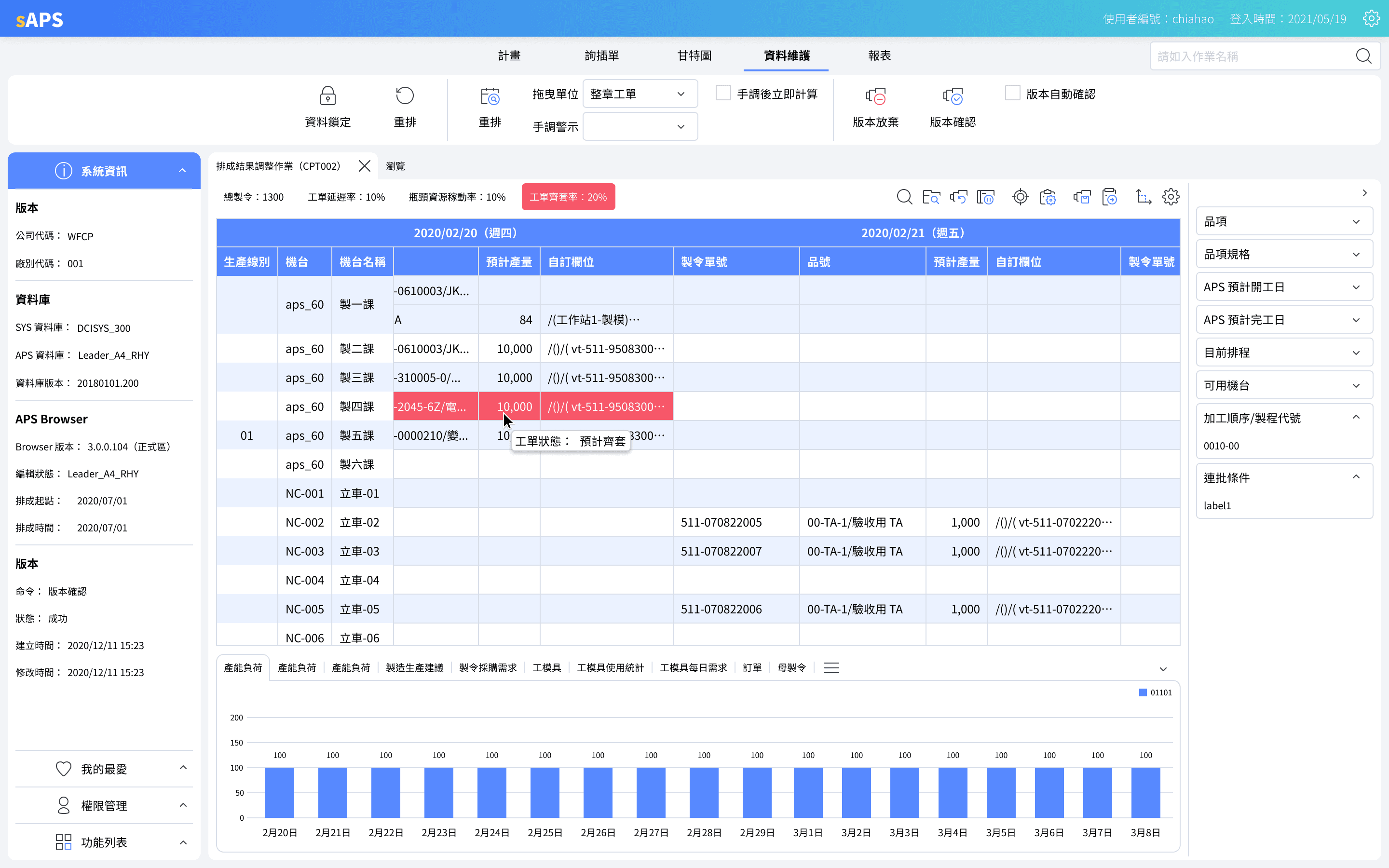
What is the current bottleneck?
Beyond algorithmic results, the system leverages color to highlight orders that fail to meet deadlines post-calculation. And we ensure holistic alignment, provide three core metrics: Order Delay Rate, Utilization Rate, and Kit Completion Rate.
What is the primary objective?
"The"Primary Objective" varies across industries and markets. By deconstructing it into identifiable "Core Metrics," we provide users with a clear, navigable path toward their goals.
In real scenarios, we've observed planners prioritizing "Order Fulfillment" over "Equipment Health," pushing equipment Utilization Rates toward, or even exceeding 100% just to ensure on-time delivery.
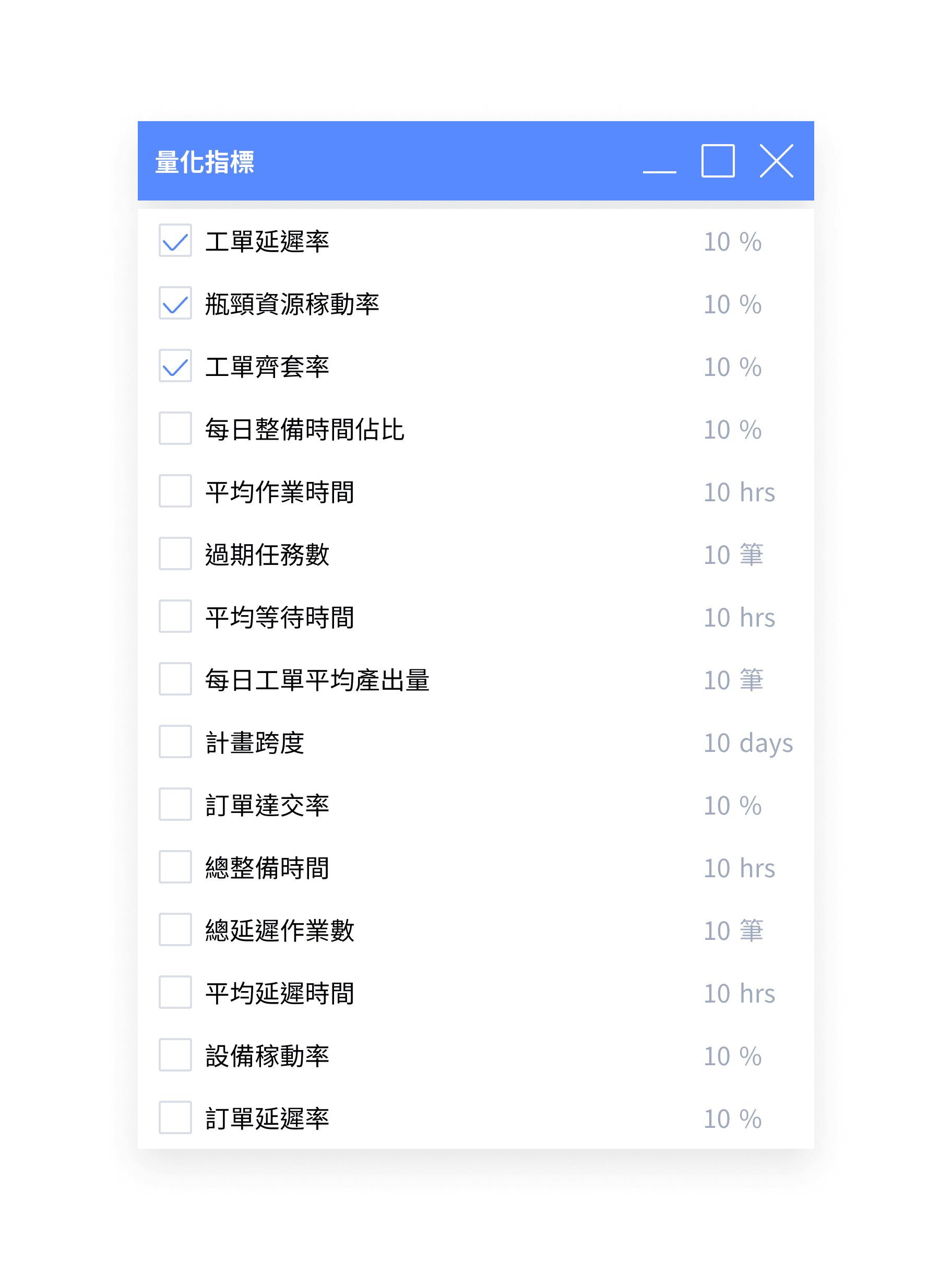
What are the risks post-adjustment?
Before the final "Publish," planners can evaluate the post-adjustment risks. As established, there is no such thing as a perfect schedule, only one that is strategically aligned with the core objectives.
UX Optimization
Key focus
Unlike Web or Mobile platforms, our WinForms-driven system utilizes native desktop capabilities, such as pinned windows and right-click context menus, to accelerate user task completion.
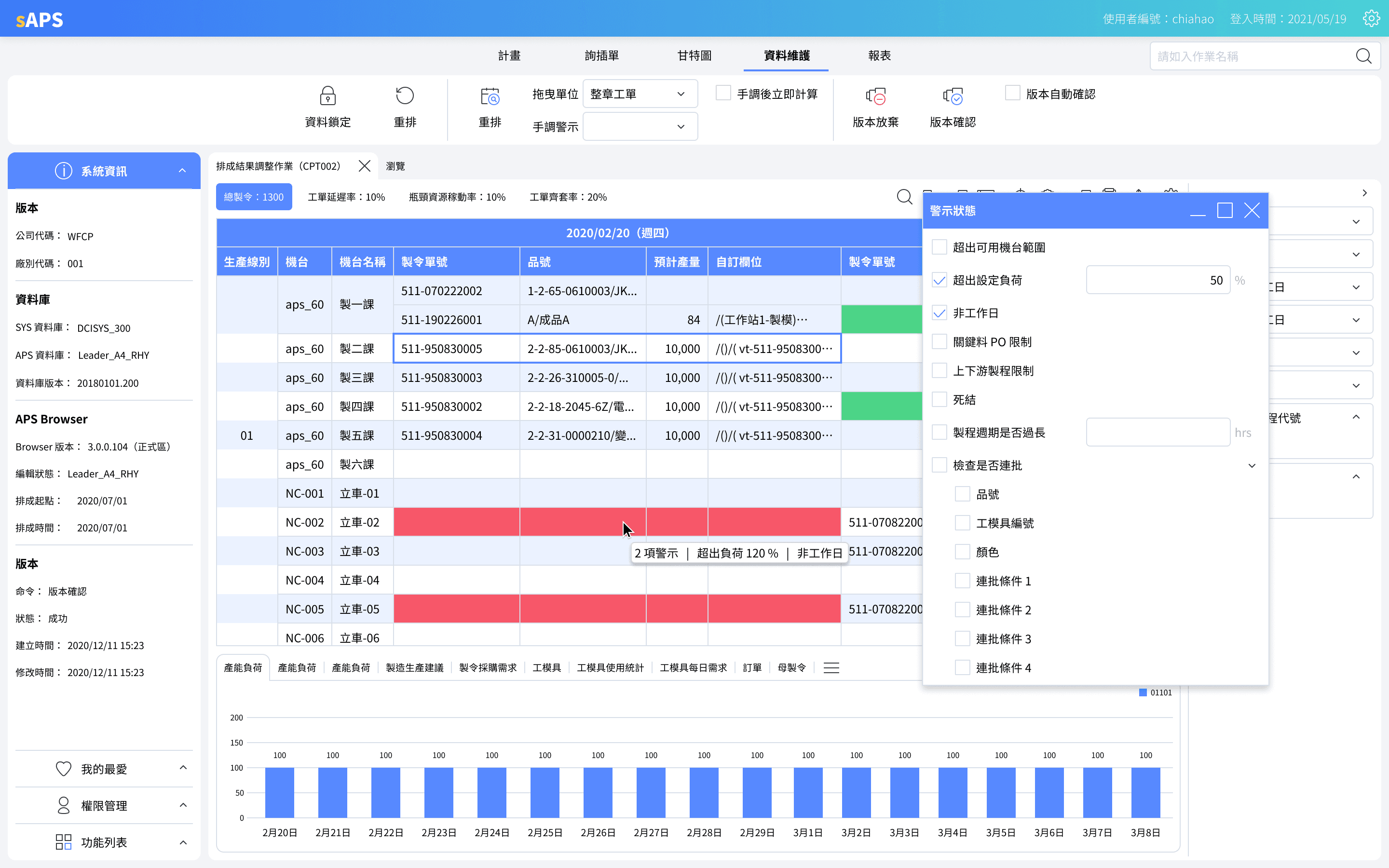
Pinned Windows
For some task, we allowed users to set baselines for specific tasks to monitor order status. While we initially used a fixed right-hand pane, SUS results led us to adopt a "Flyout" mechanism, facilitating more efficient data comparison and real-time adjustment.
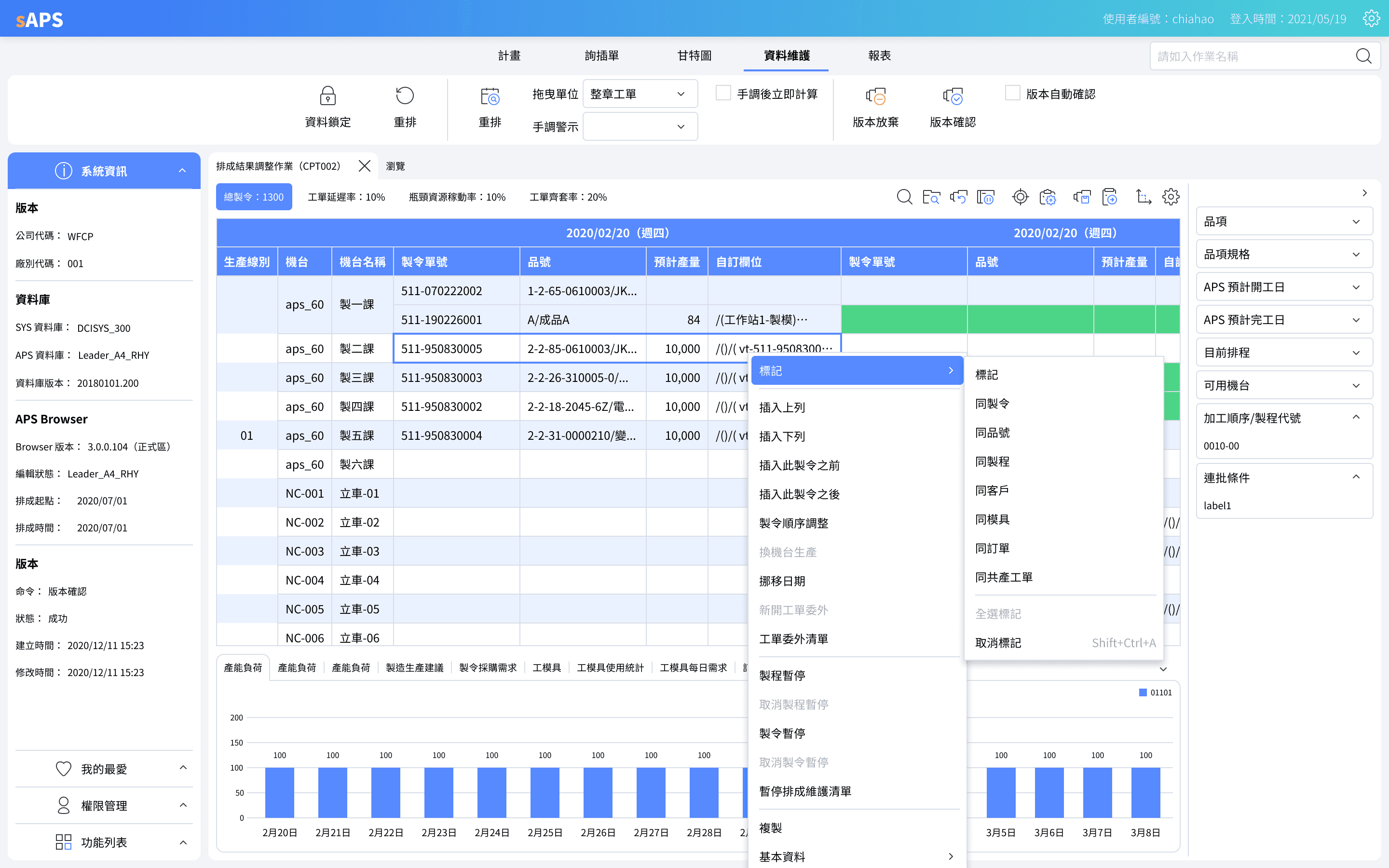
Right-Click Context Menus
While dragging is intuitive, but fails at scale, we optimized the right-click menu to offer a streamlined alternative. This not only facilitates rapid cross-interval adjustments but also paves the way for professional hotkey usage.
Why did I do this?
In the B2B landscape, optimizing for WinForms isn't just about the user; it's a strategic differentiator. It allows us to demonstrate to stakeholders how we deliver superior operational efficiency compared to our competitors.
Multiple Users
Key focus
Real-time synchronization was a legacy constraint in our WinForms architecture. Since deep system optimization wasn't feasible in the short term, we implemented a 'Resource Locking' mechanism to prevent data conflicts and ensure process integrity.
Order Status
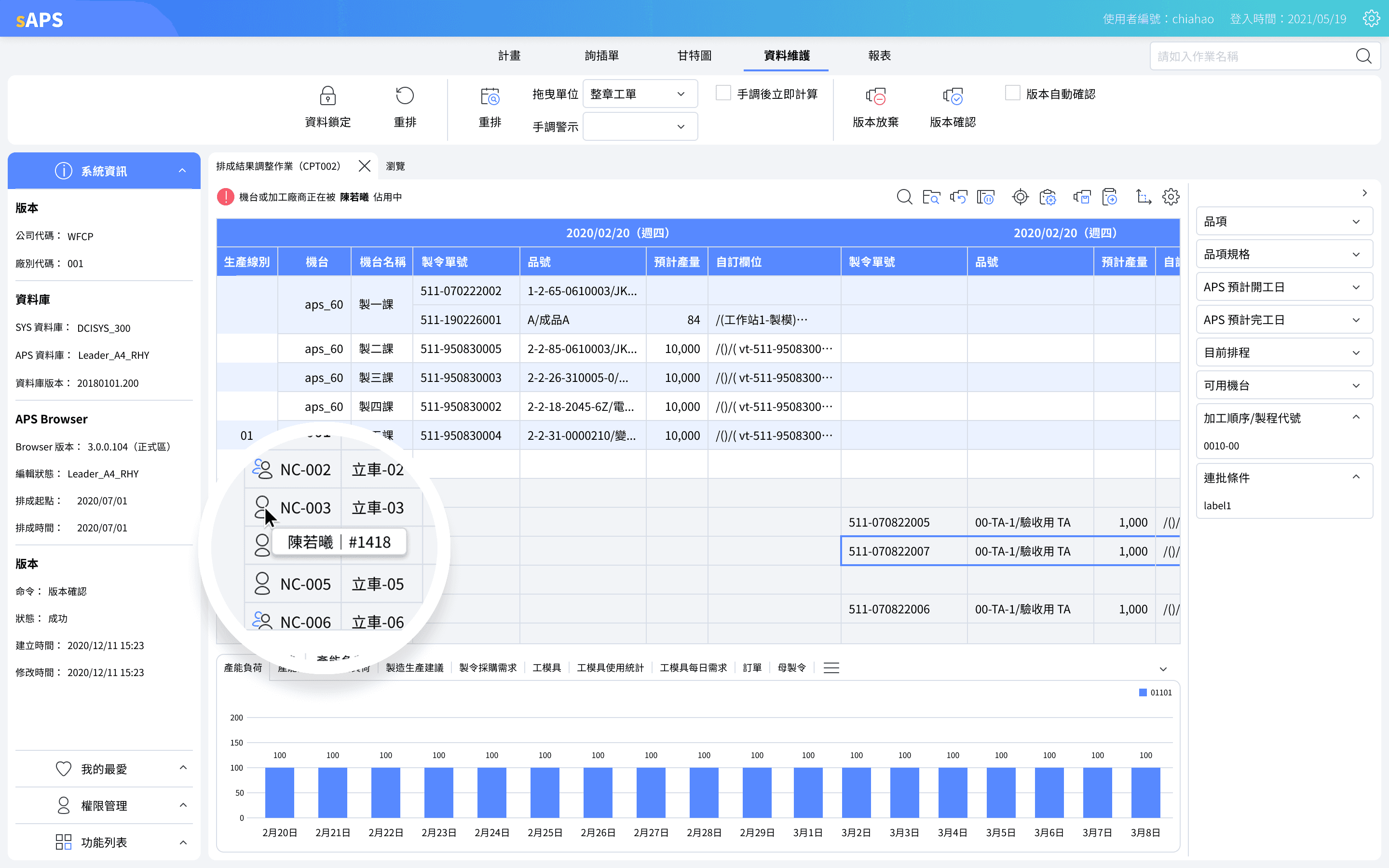
When fetching data, any Manufacturing Order (MO) currently being adjusted will display the editor's name and avatar. To prevent redundant work, these MOs are visually greyed out to indicate they are temporarily non-actionable.
Why Does It Still Matter?
Even though these orders are locked, their status is still a vital reference for your own adjustments. And remember, enterprise is a team, by showing you exactly who is making the changes, you can instantly reach out to them and ask to release the access.
What did I learn?
01
The Year of COVID-19
Due to COVID-19, risk became the ultimate metric. Whether it’s the financial risk of resource investment, the technical risk of implementation, or the operational risk of schedule adjustments, addressing these concerns is the prerequisite for design adoption.
02
Discussions Moved Online
Most of our collaboration happened online, even our focus groups. Without being there in person to see different cultures and industries, I had to rely completely on my team. It was that radical trust that kept us moving forward.
03
Around User Habits
Even in the internet age where Web and Mobile dominate, sAPS's competitive edge lies in its alignment with WinForms legacy UX. This familiarity ensured a seamless transition and high user satisfaction during deployment.
Please feel free to reference this website for more information on Digihua sAPS. Unfortunately, I can't get into any more detail about the work I did at Digihua, as it is under NDA. If you would like to learn more, feel free to reach out to me at duke.lee.tw@gmail.com!